
AI Integration in WordPress | AJUPY AI
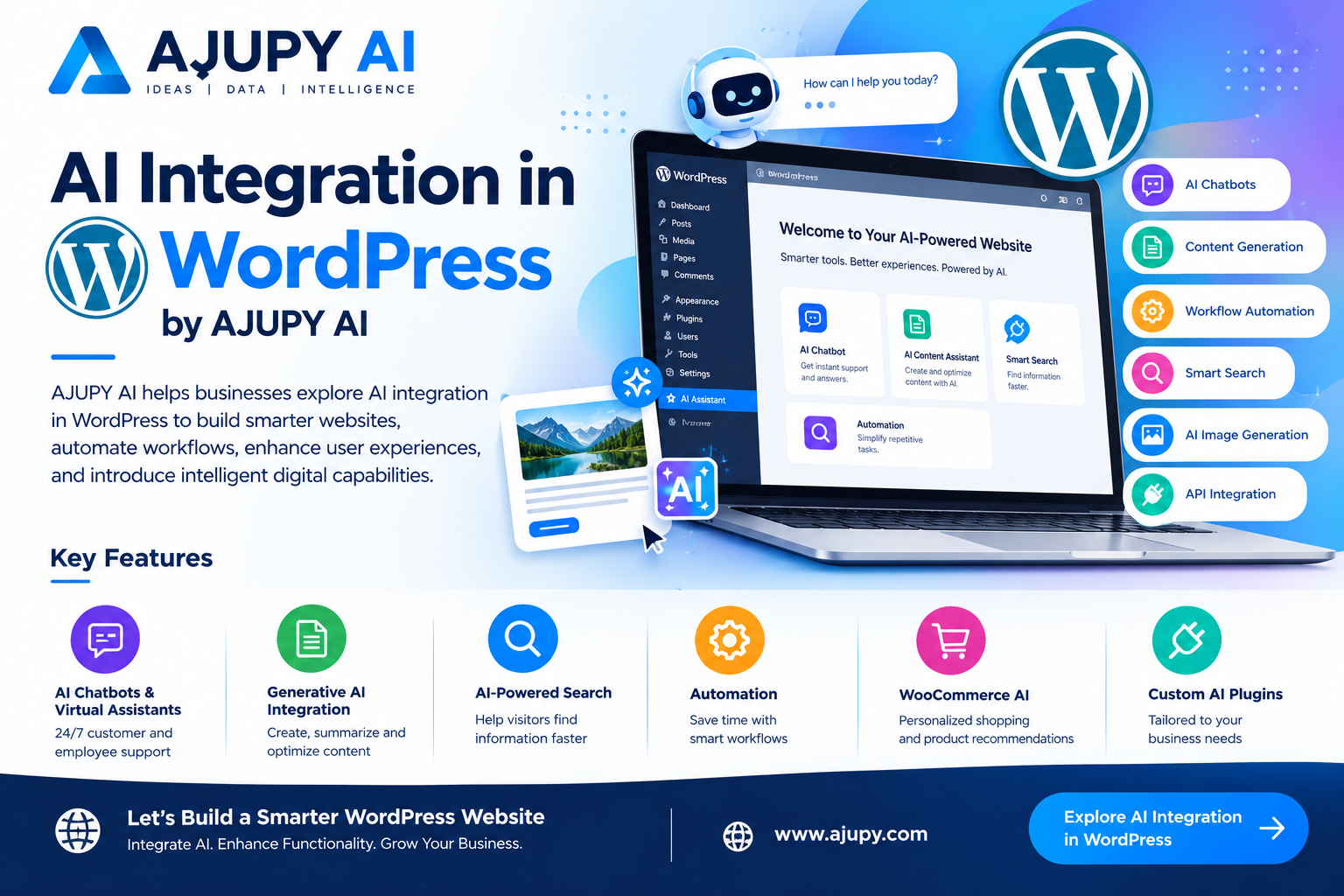
AJUPY AI helps businesses explore AI integration in WordPress to build smarter websites, automate workflows, enhance user experiences, and introduce intelligent digital capabilities.
AJUPY AI
AJUPY AI helps businesses explore AI integration in WordPress to build smarter websites, automate workflows, enhance user experiences, and introduce intelligent digital capabilities.
WordPress powers websites for businesses, startups, e-commerce stores, publishers, and service providers worldwide. By integrating artificial intelligence into WordPress, organizations can extend their websites with intelligent chatbots, automated content workflows, AI-powered search, personalized experiences, and custom AI applications.
AJUPY AI focuses on helping businesses connect AI technologies with WordPress websites through API integrations, custom plugins, AI-powered features, and tailored application development.
Whether you want to add an AI assistant, automate website operations, connect an AI model, or develop a custom AI-powered WordPress solution, the right integration can help transform your website into a more intelligent digital platform.
Website: https://ajupy.com
Email: info@ajupy.com
1. What Is AI Integration in WordPress?
AI integration in WordPress involves connecting artificial intelligence models, services, APIs, or applications to a WordPress website to introduce intelligent functionality.
Depending on your business requirements, AI can be integrated through custom plugins, existing plugins, secure API connections, external AI services, or a separate application connected to WordPress.
AI integration can support:
- AI-powered chatbots and virtual assistants
- AI content-generation workflows
- Automated website content management
- AI-powered search and recommendations
- Intelligent customer support
- Product description generation
- AI image-generation tools
- Document analysis and summarization
- E-commerce personalization
- AI-powered lead qualification
- Custom AI APIs and applications
- Automated business workflows
The best approach depends on your website architecture, existing plugins, performance requirements, security needs, and the AI capabilities you want to implement.
2. WordPress AI Integration Services by AJUPY AI
A. Custom AI Plugin Development
Develop WordPress plugins that connect AI functionality with your website’s existing features and workflows.
Possible applications include:
- AI assistants inside WordPress
- Custom AI content tools
- Intelligent form processing
- AI-powered website utilities
- AI-driven product tools
- Custom AI dashboards
- AI API integration plugins
- AI-powered administrative workflows
Custom plugins can be designed around your requirements rather than forcing your business to rely entirely on generic solutions.
B. AI Chatbot Integration
Make your WordPress website more interactive with AI-powered conversational experiences.
AI chatbot applications may help visitors:
- Find information about your products and services
- Ask questions about website content
- Navigate service pages
- Understand product features
- Get answers to common questions
- Discover relevant resources
- Submit inquiries to your business
For specialized applications, chatbots can connect to approved knowledge sources, business APIs, and customer-service workflows.
C. Generative AI Integration
Connect suitable generative AI services to WordPress to support content creation and information processing.
Potential features include:
- AI-assisted blog drafting
- Product description generation
- SEO content suggestions
- Text rewriting and summarization
- FAQ generation
- Marketing copy assistance
- Multilingual content workflows
- Image-generation integrations
AI-generated content should be reviewed for accuracy, originality, usefulness, and compliance with your editorial standards before publication.
D. WooCommerce AI Integration
For online stores, AI can support product discovery, customer assistance, content management, and selected shopping workflows.
Potential WooCommerce applications include:
- AI product recommendations
- Intelligent product search
- Product description generation
- Conversational shopping assistants
- Customer inquiry automation
- Product categorization assistance
- Personalized product discovery
- AI-powered product information tools
Any integration that accesses customer data or changes orders should use appropriate permissions, security controls, and confirmation steps.
E. AI API Integration for WordPress
Connect your WordPress website to suitable AI models and external services through secure APIs.
Potential integrations include:
- Large language models
- Image-generation services
- Text analysis APIs
- Translation services
- Speech-processing tools
- Machine-learning applications
- Custom business AI backends
- External AI SaaS platforms
API credentials should be stored securely on the server or in an appropriate secrets-management system. Sensitive keys should never be exposed in public JavaScript or page source.
F. AI-Powered WordPress Automation
Reduce repetitive website tasks by connecting AI with selected WordPress workflows.
Possible use cases include:
- Draft preparation
- Content classification
- Customer inquiry routing
- Form submission analysis
- Automated summaries
- Internal notifications
- Support-ticket categorization
- Product content workflows
Automations should be tested carefully, especially when they publish content, modify records, send communications, or trigger financial or customer-facing actions.
G. AI Search and Knowledge Assistants
Traditional website search may not always help visitors find answers to complex questions.
AI-powered search can provide conversational access to selected website content, documentation, FAQs, and product information.
Depending on the architecture, a solution may use semantic search, Retrieval-Augmented Generation (RAG), content indexing, and source references.
Potential applications include:
- WordPress knowledge assistants
- AI documentation search
- Service and product discovery
- FAQ assistants
- Website content question-answering
- Internal business knowledge search
Access restrictions must be respected when indexing or retrieving private content.
3. Custom AI Web Applications Inside WordPress
Businesses may need more than a chatbot or a simple plugin. They may want to deliver a complete AI-powered application through their WordPress website.
AJUPY AI can help explore integration approaches involving:
- Custom WordPress shortcodes
- Dedicated AI application pages
- Custom plugin interfaces
- Secure backend APIs
- React-based application interfaces
- User authentication and authorization
- Subscription and credit systems
- AI image-generation workflows
- Custom dashboards
- External AI application services
For example, a WordPress page can display a custom AI application through a shortcode provided by a plugin. The application can communicate with a secure backend to access approved AI services.
The exact implementation depends on the existing website, hosting environment, authentication requirements, and application architecture.
4. Benefits of AI Integration in WordPress
Integrating AI into WordPress can help businesses:
Improve User Experience: Provide interactive assistants and more convenient access to information.
Automate Repetitive Tasks: Reduce manual effort in selected content, support, and administrative workflows.
Enhance E-Commerce: Help customers discover products and access relevant information.
Extend Website Functionality: Introduce custom AI features without necessarily replacing the entire website.
Support Content Teams: Assist with drafting, summarization, classification, and content workflows.
Build New Digital Products: Turn a WordPress website into a gateway for AI-powered tools and subscription services.
Improve Information Discovery: Make relevant website information easier to find through conversational or semantic search.
Actual results depend on the implementation, the quality of the AI service, user adoption, and the suitability of the chosen use case.
5. Secure and Performance-Conscious WordPress AI Integration
AI functionality should complement your WordPress website without compromising security or reliability.
A responsible implementation may include:
- Secure server-side API requests
- Proper API key management
- WordPress capability checks
- Nonce verification for appropriate requests
- Input validation and output sanitization
- Rate limiting and abuse prevention
- Data privacy safeguards
- Plugin compatibility testing
- Caching where appropriate
- Error handling and logging
- Usage limits and cost monitoring
- Mobile-responsive interface design
AI API requests can increase response time and operating costs. Architecture, caching, usage restrictions, and model selection should be considered before launch.
If an integration processes personal or confidential information, data handling and retention practices should be reviewed before deployment.
6. Our WordPress AI Integration Process
AJUPY AI projects can follow a structured process:
Step 1 — Requirements Analysis: Identify the website’s goals, existing plugins, hosting environment, and required AI features.
Step 2 — Technical Assessment: Evaluate API compatibility, WordPress architecture, security, performance, and implementation options.
Step 3 — Solution Design: Plan the user interface, backend integration, data flow, permissions, and error handling.
Step 4 — Development: Build or configure the required plugin, API integration, shortcode, or application interface.
Step 5 — Testing: Verify functionality, mobile responsiveness, compatibility, security, and AI output quality.
Step 6 — Deployment: Release the integration after the appropriate testing and readiness checks.
Step 7 — Maintenance: Monitor usage, address compatibility issues, and update the implementation as requirements change.
7. Why Explore WordPress AI Integration with AJUPY AI?
AJUPY AI focuses on artificial intelligence applications, intelligent digital experiences, and custom AI-powered solutions.
Businesses exploring WordPress AI integration may benefit from an approach that considers:
- The website’s existing architecture
- The specific problem AI needs to solve
- Suitable models and API providers
- Secure integration methods
- Custom plugin and application requirements
- Website performance
- Usage costs
- Future maintenance and scalability
The goal is to select a practical integration strategy that matches the business requirement rather than adding unnecessary complexity.
8. Get Started with AI Integration in WordPress
Ready to enhance your WordPress website with artificial intelligence?
Whether you need a custom AI plugin, an AI chatbot, WooCommerce AI features, secure API integration, content automation, or a complete AI-powered web application, AJUPY AI can help you explore a suitable technical approach.
AJUPY AI — Intelligent Solutions for the Modern Web
Website: https://ajupy.com
Email: info@ajupy.com
Integrate AI. Extend WordPress. Create Smarter Digital Experiences.
Frequently Asked Questions
What is AI integration in WordPress?
It is the process of connecting AI models, services, APIs, or applications to WordPress to provide capabilities such as chatbots, content assistance, automation, and intelligent search.
Can AI be integrated into an existing WordPress website?
Yes. Depending on the website, AI can be added through plugins, custom development, API connections, shortcodes, or external application interfaces.
Can I integrate ChatGPT-style AI into WordPress?
Yes. A WordPress application can connect to a compatible AI model through an API or an approved integration. API credentials should be handled securely on the server.
Can AI be integrated with WooCommerce?
Yes. Possible use cases include product recommendations, product content assistance, conversational shopping support, and intelligent product discovery.
Can AJUPY AI help build custom AI plugins?
Custom WordPress AI plugin development can support tailored features such as AI assistants, API integrations, automation, and custom application interfaces, depending on project requirements.
Is WordPress AI integration secure?
It can be designed with security safeguards, but security depends on implementation quality, access controls, API credential handling, data practices, plugin maintenance, and testing.
Does AI integration slow down WordPress?
It can affect response times if implemented poorly. Asynchronous processing, suitable caching, efficient backend design, and appropriate AI service selection can help manage performance.
How do I start an AI integration project?
Visit ajupy.com or email info@ajupy.com with your website address, required AI features, and any relevant technical requirements.
SEO Settings
SEO Title: AI Integration in WordPress | Custom AI Solutions — AJUPY AI
Meta Description: Integrate AI into WordPress with AJUPY AI. Explore custom AI plugins, chatbots, WooCommerce AI, secure API integrations, content automation, and intelligent web applications.
Suggested URL Slug: /ai-integration-wordpress/
Primary Keyword: AI Integration in WordPress
Secondary Keywords:
- WordPress AI Integration
- AI Integration Services
- WordPress AI Development
- Custom WordPress AI Plugin
- AI Plugin Development
- AI Chatbot for WordPress
- WordPress AI API Integration
- WooCommerce AI Integration
- Generative AI for WordPress
- AI Automation for WordPress
- Custom AI Solutions for WordPress
- AI-Powered WordPress Website
- WordPress AI Application Development
- AI SaaS Integration
- WordPress AI Chatbot Development
- AI Website Development Services
Suggested H1: AI Integration in WordPress by AJUPY AI
Suggested Image Filename: ajupy-ai-wordpress-ai-integration.webp
Suggested Image ALT Text: AJUPY AI WordPress AI integration services for chatbots, automation, and custom AI applications.
Suggested Internal Links:
- Custom AI Development
- Enterprise AI Solutions
- Agentic AI Services
- Generative AI Solutions
- AI Automation Services
- AJUPY AI Home
Primary CTA: Integrate AI into Your WordPress Website
Secondary CTA: Discuss Your AI Project